From mid-2026 IELTS is no longer offered on paper in most countries: Listening, Reading and Writing are taken on a computer at a test centre, and Speaking stays face to face with an examiner. The questions, timings and marking are the same as on paper. What changes is how you work: answers are typed, notes and highlights are made on screen, and results usually arrive in one to two days.
3
papers taken on screen: Listening, Reading, Writing
2
minutes at the end of Listening to check answers
1–2
days until most results are issued
60
days to take a One Skill Retake
Is IELTS still available on paper?
In most countries it is not. On 5 March 2026 the IELTS partners announced that from mid-2026 they would no longer offer IELTS as a paper-based test, with the exact timeline varying by market. They gave the reason that candidates who chose the computer test reported higher satisfaction, pointing to convenience, faster results and the One Skill Retake.
Three details of the announcement matter if you are booking now:
- Writing on Paper. In selected markets you can handwrite your answers to the Writing test while Listening and Reading are taken on computer. If you later use One Skill Retake for Writing, it has to be in the same mode as your original test.
- Old results still count. Results from paper tests stay valid until the end of the recommended two-year period.
- The UK visa test is digital. The Secure English Language Test for UK Visas and Immigration is only available in the fully digital format.
What the change does not touch, IELTS says, is what the test measures: the skills assessed and how organisations should read your results stay the same, and access arrangements such as large print and braille remain available.
What stays the same on computer?
Everything about the test except the way you answer it stays the same. IDP's description of the computer test is direct: its question types, content, timings and marking are identical to the paper test. The band descriptors are the same, the 40-question raw scores convert to bands the same way, and an examiner still marks Writing and Speaking.
On paper, before mid-2026
Answers written in pencil and pen. Listening ended with ten minutes to copy answers onto an answer sheet. Results within about 13 days.
On computer
Answers typed or clicked on screen. Listening ends with two minutes to check, with nothing to copy. Results usually within one to two days.
Speaking is the one paper that does not go on screen. It is a conversation with a live examiner at the test centre, and for a computer test it is usually held on the same day as the others, before or after them depending on the centre.
What does the screen give you?
The screen gives you tools to replace the pencil: highlighting, an on-screen notepad, a timer, a way to mark questions to come back to, and an automatic word count in Writing. IDP lists them as follows:
| Tool | Where | What it is for |
|---|---|---|
| Highlighting | Listening and Reading | Marking key words in the questions and the passage |
| Notes | Listening, Reading and Writing | A digital notepad for quick notes and plans |
| Word count | Writing | The computer counts your words as you type |
| Timer | Each paper on screen | The time left in the section, always visible |
| Flagging | Each paper on screen | Marking a question to revisit before time runs out |
| Navigation | Each paper on screen | Moving between questions, and back to one you skipped |
| Text size | Each paper on screen | Making the text larger or smaller |
These tools only help if you have used them before the day. Highlighting is quick to overdo: a passage lit from top to bottom is as hard to search as one with nothing marked. The habit worth practising is to highlight the one or two words in each question that you will look for in the text.
How does each paper change on screen?
Each paper keeps its timing and questions, but you work through it differently. Here is what changes in practice.
Listening
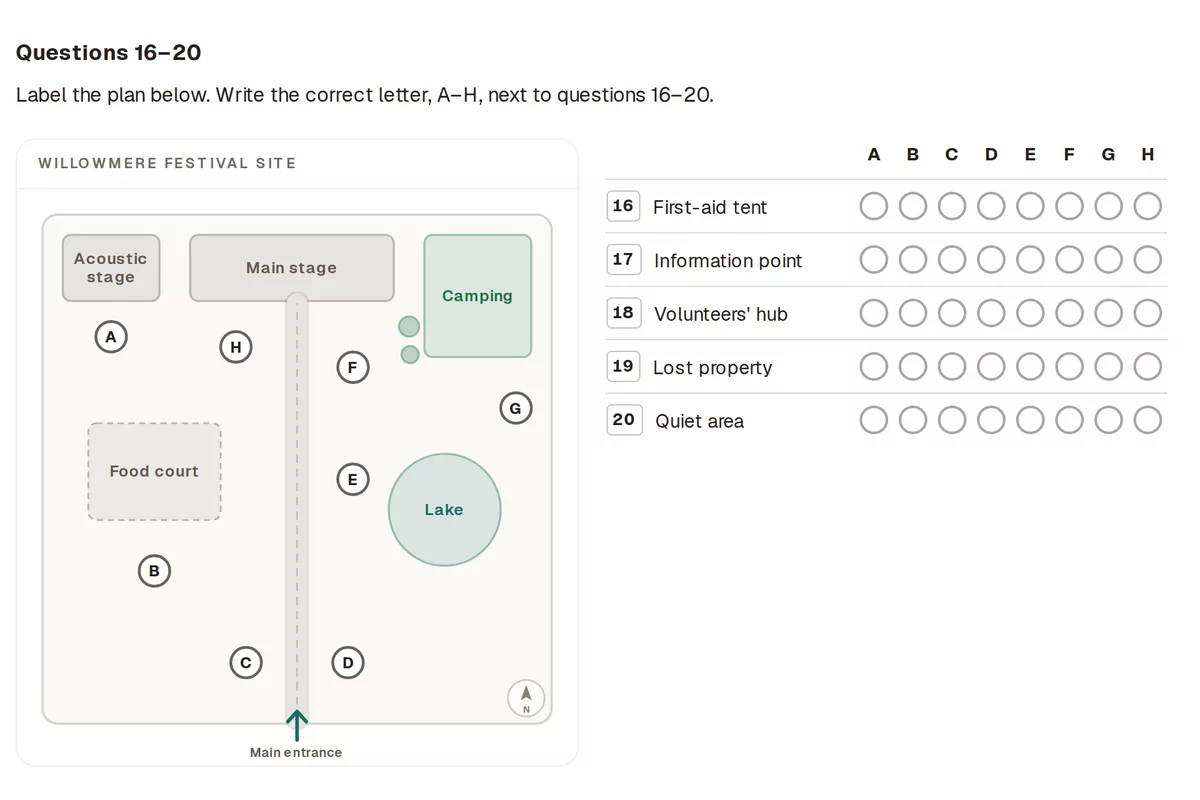
You wear headphones provided by the test centre and type each answer into its box as you hear it. Before each part there is time to read the questions on screen, after each part some time to review your answers, and at the end two minutes to check the whole paper. You can change any answer until you submit, and the section ends on its own when the time is up. IDP gives the timing on computer as 30 to 34 minutes.
Reading
Sixty minutes, three passages, 40 questions, exactly as on paper, with the passages and the questions on screen. There was never extra time to transfer Reading answers, and on computer there is nothing to transfer: you type or click each answer straight in. Highlighting the passage takes the place of underlining, and the notes tool replaces the margin.
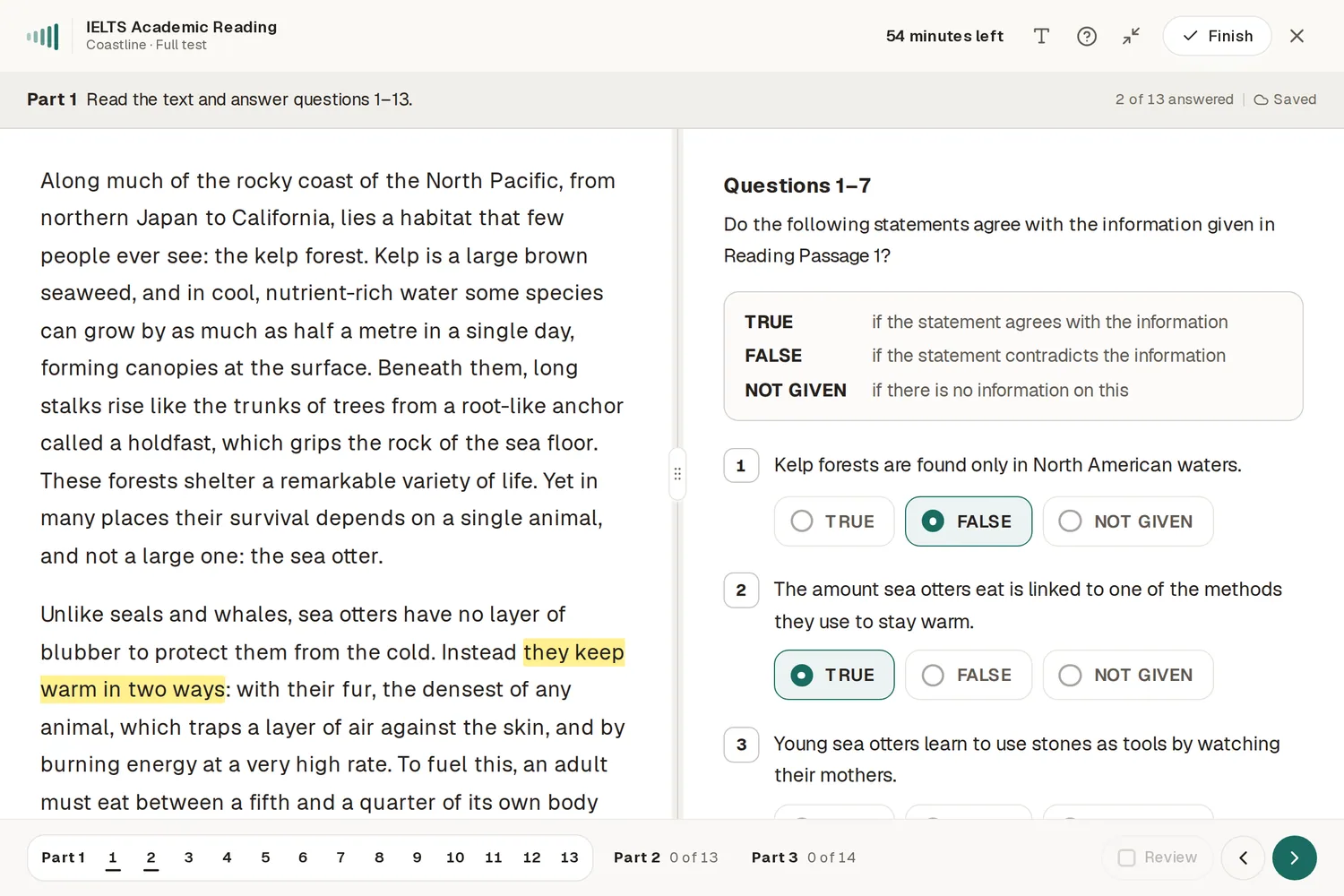
The danger is pace. With every question one click away, it is easy to spend too long on one hard question. Flag it, move on, and come back once every easier question has an answer. How to finish IELTS Reading in 60 minutes sets out a plan for the hour.
Writing
You type both tasks, and the word count is shown as you go, so you never need to count by hand. The time is the same hour, and the suggested split is the same:
To scale
The Writing hour on computer
- Task 1 · 20 minAbout 20 minutes, at least 150 words: a report on a figure, or a letter in General Training.
- Task 2 · 40 minAbout 40 minutes, at least 250 words: the essay, which carries more weight.
Is typing better than handwriting for IELTS Writing?
For most candidates who type every day, typing is faster and makes editing easier: you can move a sentence, rewrite an opening or fix a word without crossing anything out. IDP makes the same point, that you may be able to type faster than you write. For candidates who rarely type in English, the keyboard can cost more time than it saves.
Test yourself honestly before you choose, if your centre offers Writing on Paper:
Type a full Task 2 against the clock
Forty minutes, at least 250 words, with time to plan before you start and to read it through at the end. If you finish with minutes to spare, typing suits you.
Turn off your spellchecker while you practise
Your spelling has to be your own on the day. Practising with red underlines teaches you to rely on them.
Watch the word count, not your page
On screen there is no page to fill. Aim past the minimum with your plan, and use the count as a check, not a target.
Try it on a full paper
Writing · 60 minutes
Both tasks on a sixty-minute clock, typed, with a running word count under the answer box.

How fast are results, and what is One Skill Retake?
Results from the computer test usually arrive within one to two days. IELTS says most are now issued within two days and about half within one, while paper results took up to 13 days. A result can occasionally take longer while it is checked.
One Skill Retake lets you resit one of the four papers instead of the whole test. The rules, as IDP sets them out:
| Rule | Detail |
|---|---|
| Who can take it | Anyone who has sat a full IELTS on computer at a centre that offers it, and has their result |
| Which paper | Any one of Listening, Reading, Writing or Speaking |
| When | Within 60 days of the original test date |
| How often | Once for each full test |
| Which result counts | Either: you choose your original result or the new one |
Not every organisation accepts a retake result, and not every centre offers it, so check both before you plan around it. How IELTS band scores are calculated shows how far one paper's half band moves your overall result.
What mistakes are new on the computer test?
The computer test removes some old mistakes, such as copying an answer into the wrong box on an answer sheet, and brings in a few of its own. They come from the screen, not from your English, which is why they are worth knowing in advance:
- Typos in Listening answers. A typed answer is marked exactly like a written one, so a slip of the finger is a spelling mistake and costs the mark. Read each answer back before the next part starts.
- Leaving a box empty to come back to. In Listening the recording moves on whether you are ready or not. If you miss an answer, type your best guess at once; you can change it during the review time, but you cannot recover what you did not hear.
- Losing your place between screens. In Reading, moving between the passage and the questions is quick, which makes it easy to drift. Use the question numbers and your flags to keep track of what is left.
- Highlighting everything. A highlight is only useful if it stands out. Mark the key word of a question, not the whole sentence.
- Trusting the word count too much. The count tells you that you have reached 250 words, not that the essay answers the question. Plan first, write to the plan, and check the count at the end.
- Running out of time without noticing. Each section ends on its own when the time is up, and whatever is on screen is what is marked. Keep an eye on the timer in the corner, not just the question in front of you.
Each of these is fixed by the same thing: having sat full papers on a screen before the day, so the tools feel ordinary and your attention stays on the questions.
How should you practise for the computer test?
Practise on a screen, against the clock, with the same tools you will use on the day. Reading a printed practice test and then sitting the real one on a computer means meeting the screen for the first time under pressure.
Take the official familiarisation test
IDP's free familiarisation tests cover Listening, Academic Reading and Academic Writing on the real test screens. They are untimed, and IDP notes that highlighting and notes work differently from the live test, so use them to learn the layout.
Sit full papers on a timed screen
The timer, the question bar and the flags only make sense in a full paper. Sit at least one complete Listening, Reading and Writing test on screen before the day.
Practise one highlight per question
In Reading, highlight the key word of each question and look for it, or its paraphrase, in the passage. Stop there.
Rehearse the checking time
In Listening, use the time after each part and the two minutes at the end the same way every time: spelling, word limits, any gap left empty.
Check what you know about the computer test:
Check yourselfTrue or false? Six facts about the computer test
6 questions1The Listening test on computer ends with two minutes to check your answers.
The answer is True. You also get some time after each part to look over that part's answers.
2On computer you still get ten minutes to transfer your Listening answers.
The answer is False. There is no answer sheet, so there is nothing to transfer. Answers are typed straight into the screen as you listen.
3The questions and timings on computer are different from the paper test.
The answer is False. IELTS says the question types, content, timings and marking are the same. Only the way you answer changes.
4The free familiarisation tests are timed like the real test.
The answer is False. They are untimed, and their highlighting and notes tools work differently from the real test, so they show you the screens rather than the pressure.
5The Speaking test is taken with a live examiner, not on the computer.
The answer is True. Speaking stays a conversation with an examiner, usually on the same day as the other papers, before or after them.
6One Skill Retake has to be taken within 60 days of the original test.
The answer is True. It is open to candidates who sat a full IELTS on computer at a centre that offers it, once per full test.
SpeakMetry's practice rooms are built to follow the computer-delivered layout, with a timer, a question bar with flags, highlighting and notes. Sit a timed paper in Listening, Reading or Writing, or all three from the mock test page, and practise the Speaking interview with the Speaking Simulator. For how each paper is laid out, part by part, see the IELTS test format.
Where to check this
Every rule in this guide comes from these official pages. Test centres can differ on dates and arrangements, so check yours too.
- Updates to IELTS test delivery · IELTS
- How quickly can I get my IELTS result? · IELTS
- IELTS on Computer · IDP
- How to use IELTS on Computer features to your advantage · IDP
- IELTS on computer, Academic: your all-in-one guide · IDP
- Listening preparation for IELTS on Computer · IDP
- IELTS Familiarisation tests · IDP
- IELTS One Skill Retake · IDP IELTS Australia
Questions people ask next
Is paper-based IELTS discontinued?
In most places, yes. In March 2026 the IELTS partners announced that from mid-2026 IELTS would no longer be offered on paper, with the exact date varying by country. In selected markets a Writing on Paper option lets you handwrite the Writing test while Listening and Reading are on computer.
How long do IELTS on computer results take?
Usually one to two days. IELTS says most computer results are now issued within two days, and about half within one. Occasionally a result takes longer while it is checked, so do not book anything that depends on it for the day after your test.
Is IELTS on computer harder than on paper?
The test itself is the same: IELTS says the question types, content, timings and marking do not change. What changes is how you work. You type your answers, highlight and make notes on screen, and see a word count in Writing, which suits some candidates better than others.
Is the Speaking test done on the computer?
No. Speaking is a conversation with a live examiner at the test centre. For a computer test it is usually held on the same day as the other papers, either before or after them, depending on the centre.
What is IELTS One Skill Retake?
A chance to resit one of the four papers instead of the whole test. You must have taken a full IELTS on computer at a centre that offers it, book the retake within 60 days, and you can retake only one skill per full test. You can then use either result.
Written by SpeakMetry Team
The team that builds SpeakMetry's mock tests writes these guides. Every rule is checked against the official IELTS, British Council and IDP pages listed in the guide, and every example question, passage and sample answer was written for the guide it appears in.